Free Old Photo Restoration Online - 7 Things to Check Before You Upload
What "free" really means on photo restoration sites, the seven things worth checking before you upload a family photo, and how RestorePix AI handles each one.
Search for "restore old photos online free" and you get dozens of tools that all promise the same thing. The difference shows up after you upload: some only let you download a small preview, some stamp a watermark across the face of your grandmother, and some start a subscription you forgot to cancel.
Before you upload a photo that matters to you, check these seven things. Each section below also says how RestorePix AI handles it, so you can compare it with whatever else you try.
1. Can you try it without an account?
A good tool lets you see a real result before it asks for anything. If the first screen is a sign-up form, you are being asked to commit before you know whether the result is any good.
RestorePix AI: you can restore one photo a day without an account. Signing in with Google adds 10 free credits every day, and a restoration costs 4, so that is two more photos.
2. Is the free result watermarked?
Many sites run the restoration for free and then put a logo over the result, or let you download only a blurred preview. That is fine for judging quality, but useless for printing or sharing.
RestorePix AI: free results from the restoration tools carry no watermark. That covers Photo restoration, Restore faded photos, Remove scratches and Water-damaged photos. Free results are JPGs up to 2048 px on the long side, enough for a sharp print of about 7 inches at 300 dpi.
3. Does it keep the faces the same?
This is the one that matters most for family photos. Some AI tools "enhance" a face so much that it looks like a different person: smoother skin, new teeth, different eyes.
RestorePix AI: the restoration removes damage and keeps faces, expressions and clothing as they are. Where a scratch or a missing piece covers part of a face, that part is redrawn to match the rest. The page tells you this plainly, so you know to compare it with your scan.
4. Does it fix the damage you actually have?
"Restoration" covers different problems. Check that the tool handles yours:
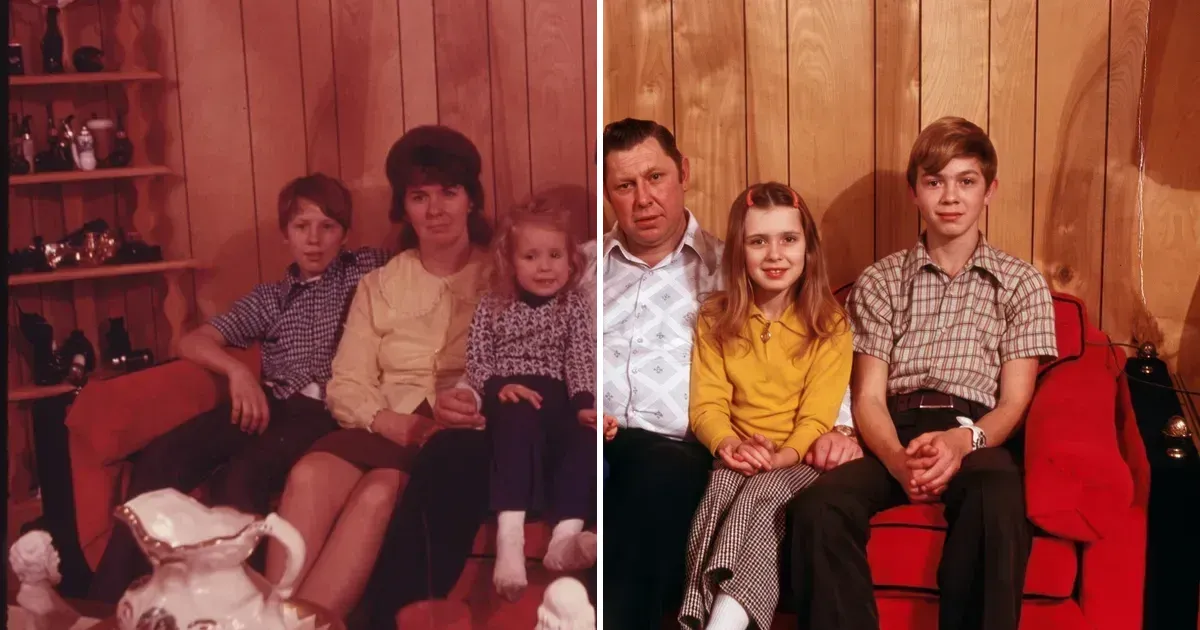
- Fading and color casts: prints from the 1960s to the 1980s often turn pale or red. See Restore faded photos.
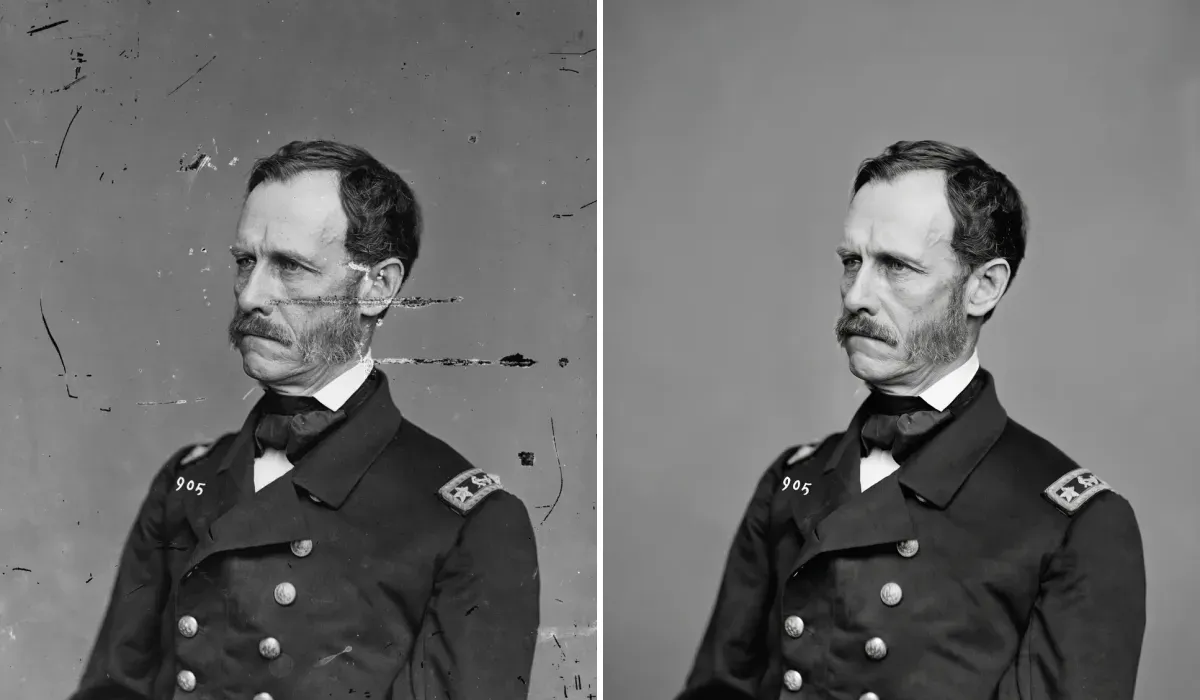
- Scratches, dust and specks: see Remove scratches from photos.
- Water rings, stains and mold spots: see Repair water-damaged photos.
- Creases and small tears: handled by Photo restoration.
On RestorePix AI all of these run in one step: you upload once, and every type of damage on the print is repaired together. Black-and-white photos stay black and white; if you want color, run the result through Photo colorizer afterwards.
5. What happens if you want more than the free photos?
Look at how paid use works before you need it. Subscriptions that renew every month are easy to forget, and credits that expire after a few weeks punish people who restore a box of photos once a year.
RestorePix AI: you can buy a credit pack without a subscription, starting at $2.99 for 40 credits, which is 10 restorations. Packs never expire. You don't even need an account first: checkout creates one from the email you pay with. If a run fails, its credits are returned.
6. What happens to your photos?
Old family photos are personal. A trustworthy tool says how long it keeps uploads and whether it uses them to train AI.
RestorePix AI: without an account, uploads and results are deleted after 24 hours. Signed-in history keeps them for 7 days. Your photos are not used to train AI models.
7. Does it show real results?
Polished demo images are easy to make. Look for examples that show ordinary damaged prints, and say what was changed.
RestorePix AI: every example on our restoration pages is a real result from the tool, only cropped to line up with the original. The originals are archive photos that are free to use; three carry their own age damage, and one had damage added for the demo: the water rings on the water-damage example. Each one says what was repaired and what was filled in.
A quick way to compare
Take one damaged photo and run it through two or three tools. Then check:
- Did you get a full-size download without a watermark?
- Do the faces still look like the people in the photo?
- Is the damage gone, or just blurred?
- Did anything new appear that was not in the original?
Start with Photo restoration: your first photo is free and needs no account.